Article
How to Present a Change Order So Homeowners Actually Sign It
Change orders don't have to start arguments. Learn how to price them, show the three numbers homeowners need, and get a signature before the extra work starts.

Change orders are where a lot of remodel profit goes to die. Not because homeowners won't pay for extra work, but because the extra work gets done on a handshake and argued about at final payment.
The good news: a change order is a sales conversation, and you can get good at it. Here's how to price it, write it, and present it so it gets signed.
Set it up before the job starts
The easiest change order is one the homeowner already knew was coming. Put your change process in the contract. Markup and Profit suggests reminding the client, when a change comes up, that the procedure is in the contract and you'll need a signed change order [2].
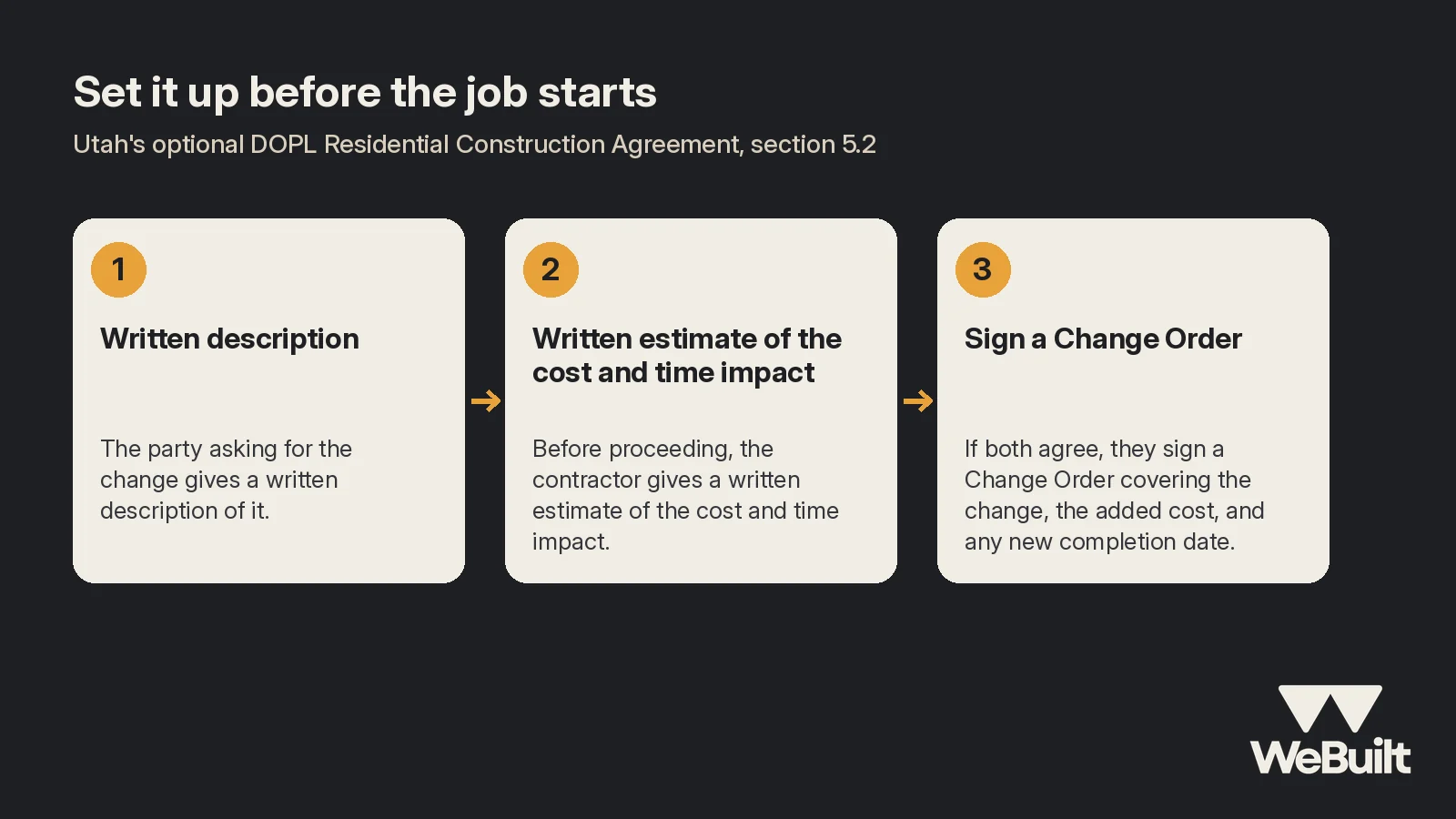
Utah's optional DOPL Residential Construction Agreement is a good model. It's a fixed-price agreement where any change goes through a written, signed Change Order form (Exhibit B) [4]. Its section 5.2 lays out three steps [4]:
- The party asking for the change gives a written description of it.
- Before proceeding, the contractor gives a written estimate of the cost and time impact (unless it's a safety or property-damage emergency).
- If both agree, they sign a Change Order covering the change, the added cost, and any new completion date.
Price it like real work (because it is)
Change work is usually less efficient than bid work. It interrupts the schedule, can mean another supply run, and adds risk. The sources agree you shouldn't discount it, but differ on how far to go:
- Pricebookr: use at least your standard markup. "Full stop." [3]
- Markup and Profit: go at least 10 points higher than your normal markup. If you normally use 1.60 times job cost, use 1.70 for changes. The smaller the change, the higher the markup [2].
Include the hidden costs: your time pricing it, permit or engineering changes, sub delays, extra rental days, and crew downtime [2]. And read your contract first. Pricebookr notes many written contracts, especially institutional ones, cap change-order overhead and profit around 15%, which can lock you into losing money on changes [3].
Show three numbers, every time
Markup and Profit's rule: every change order shows the price of the change, the previous contract amount, and the new contract amount [1]. Their example [1]:
| Change Work Order #1 | |
|---|---|
| Change the original contract amount by | $2,654.00 |
| Previous contract amount | $31,297.50 |
| Revised contract amount | $33,951.50 |
With all three on the page, nobody can say later they didn't know what the change did to the total. DOPL's Exhibit B form has the same idea: describe the change, show whether the price goes up or down and by how much, state payment terms, and set the new estimated completion date [4].
Example: rot behind the tub
Example numbers for illustration:
During demo on a bathroom remodel, the crew finds rotted subfloor under the tub.
| Item | Amount |
|---|---|
| Materials (subfloor, joist sister, fasteners) | $260 |
| Labor (loaded) | $400 |
| Extra dump fee | $50 |
| Job cost of the change | $710 |
| Change price at 1.70 markup | $710 × 1.70 = $1,207 |
| Previous contract amount | $24,500 |
| Revised contract amount | $25,707 |
| Schedule impact | +2 days |
How to present it
- Stop and show them. Bring the homeowner to the problem or send a photo. People sign for what they can see.
- Give a range on the spot, guess high. Markup and Profit's advice: if you give a rough number, err high so the written price isn't a surprise [2].
- Put it in writing before the work. Best case, pause, price it, and get it signed. Writing one on the spot is riskier, but still better than proceeding with nothing signed [2].
- Show the schedule change. Markup and Profit suggests a 2-to-1 buffer: for every day the change might add, push the completion date two days [2].
- Collect on small changes now. One approach from Markup and Profit: changes under $2,500 paid in full upfront, larger ones split between signing and the next progress payment [1].

What to say
Keep it short and calm. Something like:
"We opened up the floor under the tub and found rot. Here's the photo. We can't set the new tub on this. To fix it right is $1,207 and adds about two days. Here's the change order. It shows your original price, this change, and the new total. Once you sign it, we'll keep going."
Then stop talking and let them read. Most homeowners don't push back on the cost of a real problem. They push back on surprises at the end.
Track the change in the job
A signed change order changes both the price and the budget. If you don't add it to the job, the job looks like it ran over when it didn't. WeBuilt tracks costs on each job and shows profit per job, so you can see what the change work actually cost you. See the platform.
FAQ
What markup should I use on change orders?
At least your normal markup [3]. Some advisors recommend 10 or more points higher because changes slow the job [2].
What has to be on a change order?
A description of the change, the price change, the previous and new contract totals, payment terms, the schedule impact, and both signatures [1][2][4].
Can I start the work and write it up later?
You can, but it's risky. DOPL's template requires a written cost and time estimate before proceeding, except in safety or property-damage emergencies [4].
How WeBuilt helps
A change order is easier to price and easier to explain when you know what the job has actually cost so far. WeBuilt tracks each job's actual costs against the original estimate, so when the crew finds rot behind the tub, you can see where the job stands before you put a number in front of the homeowner. It also helps you spot changes that never got written up: if materials or labor are creeping over budget, that's often unsigned extra work. At the end, you see what the job really made, change orders included. WeBuilt doesn't write or collect signatures on change orders, so keep using your contract's process for that.
Want to see it on your own jobs? Book a 15-minute walkthrough with Ian.
Make change orders part of the job
Book a 15-minute walkthrough with Ian. Founding 25 spots are open for Utah remodelers.
Sources
- Markup and Profit, Specifics on Change Work Orders. Accessed November 2, 2026.
- Markup and Profit, The Skinny on Change Work Orders. Accessed November 2, 2026.
- Pricebookr, How to Price Change Orders Without Losing Money. Accessed November 2, 2026.
- Utah DOPL, Residential Construction Agreement (May 29, 2025), sections 3 and 5.2 and Exhibit B. Accessed November 2, 2026.