Article
Use Case: Catching a Kitchen Remodel Running Over on Materials
A step-by-step example of a small remodeler using WeBuilt job costing to spot a kitchen running over on materials in week three and save the margin.
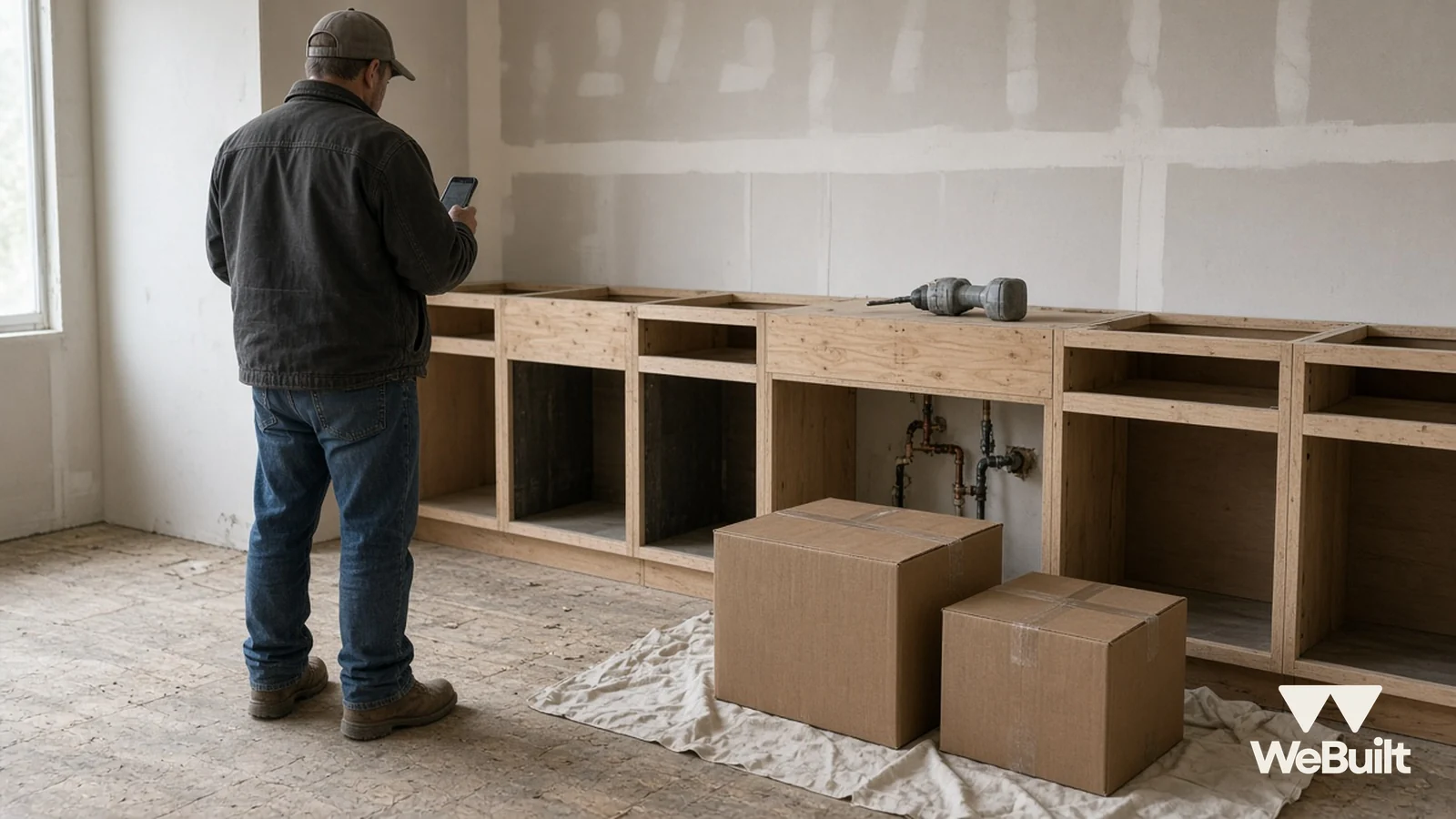
This is a use-case post. It walks through a realistic example of how a small contractor can use WeBuilt to solve one specific problem: finding out a job is running over budget on materials while there's still time to do something about it.
The company, the people, and every number below are made up for illustration. The WeBuilt features described are the ones available today: customers, estimates, jobs, and job costing with revenue, cost, and margin for each job [1].
The setup: a kitchen priced in August, built in October
Example scenario. Dana runs a three-person remodeling company. In August she walked a kitchen with a homeowner, built the estimate, and the homeowner signed for $46,000. The job started the second week of October.
Between August and October, material prices kept moving. Associated Builders and Contractors reported construction input prices up 2.2% in September alone and 11.2% year over year [3]. AGC reported steel mill products up 27.6% and copper and brass mill shapes up 30.0% year over year [2]. Dana's estimate was built on August prices. Her supplier's counter was not.
Step 1: The customer, the estimate, and the job live together
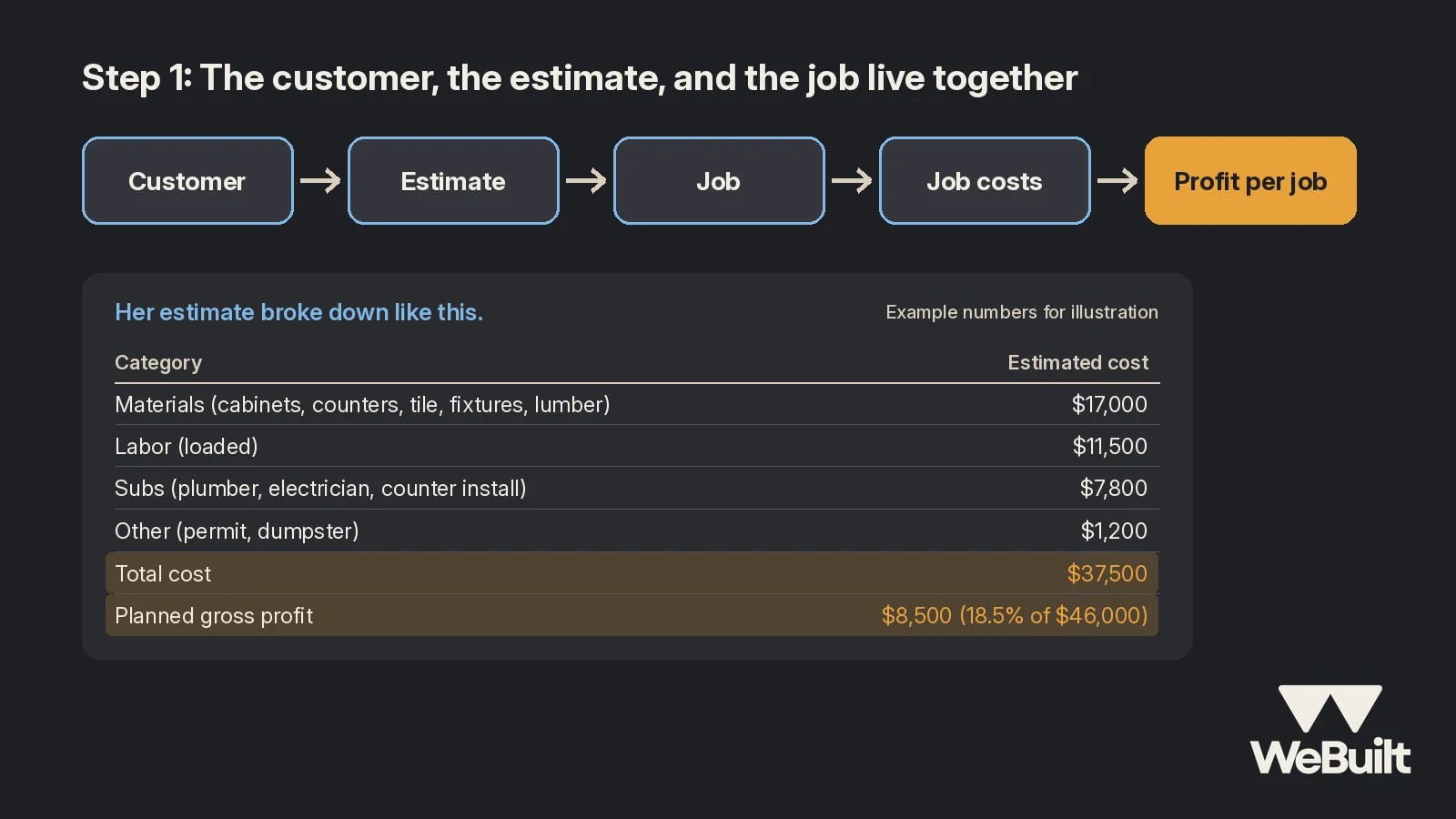
In WeBuilt, Dana's customer record holds the homeowner's contact details and notes. The estimate was built with that customer and job already in place, and the job is kept with the customer it belongs to [1]. That means when the kitchen starts, Dana isn't re-typing the estimate into a spreadsheet. The job already knows what she priced.
Example numbers for illustration: her estimate broke down like this.
| Category | Estimated cost |
|---|---|
| Materials (cabinets, counters, tile, fixtures, lumber) | $17,000 |
| Labor (loaded) | $11,500 |
| Subs (plumber, electrician, counter install) | $7,800 |
| Other (permit, dumpster) | $1,200 |
| Total cost | $37,500 |
| Planned gross profit | $8,500 (18.5% of $46,000) |
Step 2: Record costs as they happen
Every time Dana or her lead buys something for the kitchen, the cost gets recorded against that job. Crew labor and sub costs go against it too. WeBuilt tracks the job costs you record [1]. The habit is the part that matters: if a cost never gets recorded, no tool can show it to you.
Dana's rule for the crew is simple. Before the end of each day, the day's costs for the kitchen get recorded against the kitchen.
Step 3: The week-three check shows materials running hot
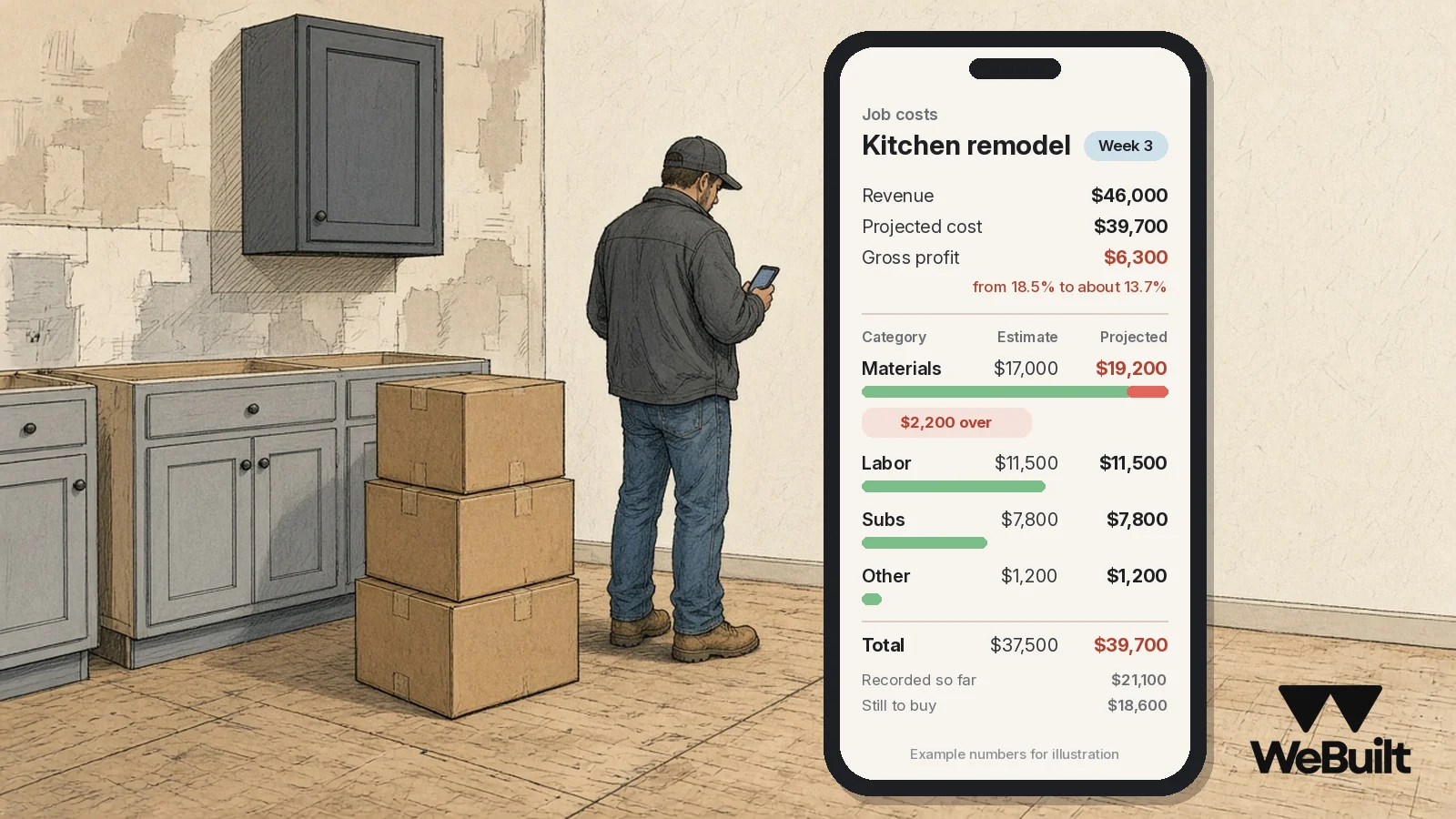
Every Monday, Dana opens each active job and looks at revenue, cost, and margin [1]. In week three, the kitchen looks like this (example numbers):
| Category | Estimate | Recorded so far | Still to buy | Projected |
|---|---|---|---|---|
| Materials | $17,000 | $11,900 | $7,300 | $19,200 |
| Labor | $11,500 | $5,200 | $6,300 | $11,500 |
| Subs | $7,800 | $3,100 | $4,700 | $7,800 |
| Other | $1,200 | $900 | $300 | $1,200 |
| Total | $37,500 | $21,100 | $18,600 | $39,700 |
Materials are projected $2,200 over. If nothing changes, the planned $8,500 of gross profit drops to $6,300, from 18.5% to about 13.7%.
Because she sees it in week three, not at closeout, Dana still has options.
Step 4: Sort the overrun and act on it
Dana splits the $2,200 into what caused it:
- $1,100: the homeowner switched to a larger sink and a pull-down faucet after demo. That's a change. Dana writes a change order with the new price and gets it signed before the plumber comes back.
- $700: price increases on cabinet hardware and the remaining electrical material since August. She can't bill that back under this contract, so she calls her supplier and locks the price on the remaining order before it moves again.
- $400: subfloor repair found behind the old dishwasher. That's a hidden condition. Dana's contract covers it, so it goes on the same change order, with photos.
Step 5: The result at closeout
Example numbers for illustration:
| Without the week-three check | With it | |
|---|---|---|
| Contract price | $46,000 | $47,500 (with change order) |
| Total cost | $39,700 | $39,700 |
| Gross profit | $6,300 (13.7%) | $7,800 (16.4%) |
The change order recovered $1,500. The $700 in price increases came out of Dana's margin, but she knew about it early enough to lock the rest of her order. Without the weekly look, she'd have found all of this at closeout, when the homeowner had stopped expecting a price conversation.
Step 6: Price the next kitchen better
Over the season, Dana lines up the margin on each finished job in WeBuilt and compares them by job type: kitchens, baths, and basement finishes. In this example, her kitchens keep slipping on materials while her bathrooms hold their margin. So her next kitchen estimate gets current supplier pricing, a good-through date, and a line that makes the allowance for fixtures clear.
That's the real payoff of job costing: not just saving one job, but knowing which kinds of work actually make money.
How WeBuilt helps
WeBuilt is built for exactly this loop. Your customers, estimates, and jobs stay together, so each job carries the price you quoted. As you record costs against the job, WeBuilt shows revenue, cost, and margin for that job [1], so a Monday check gives you profit per job instead of a guess. It doesn't decide anything for you. You set the prices, write the change orders, and talk to the homeowner. It isn't a replacement for your accounting software; it tracks the job costs you record [1]. See exactly what's included today.
FAQ
Is this a real WeBuilt customer?
No. This is an example scenario with made-up names and numbers to show how the job costing features work.
What does WeBuilt need from me to show profit per job?
Your estimate and the costs you record against the job [1]. The more consistently you record costs, the more accurate the picture.
Can WeBuilt pull costs in automatically?
Not today. You record costs against each job. Other features are in development and listed on the platform page [1].
Join the Founding 25
Founding 25 spots are open for Utah contractors who want profit per job on every active job. See the platform and the Founding 25 offer, or book a 15-minute walkthrough and bring a job of your own.
Sources
- WeBuilt, Platform overview: what WeBuilt does today. Accessed November 2, 2026.
- Associated General Contractors of America, Construction Input Costs Rise 11.9% From September 2025 to September 2026 (Oct 15, 2026). Accessed November 2, 2026.
- Associated Builders and Contractors, Construction Materials Prices Jump 2.2% in September, Up 11.2% Year Over Year (Oct 15, 2026). Accessed November 2, 2026.