Article
Use Case: Which Job Types Actually Make Money? Comparing Profit per Job in WeBuilt
An example of a small contractor using WeBuilt job costing to compare profit per job across bathrooms, decks, and repairs, and decide what to bid more of.

This is a use-case post. It walks through a realistic example of how a small contractor can use WeBuilt to answer one question that's easy to guess at and hard to know: which kinds of jobs actually make money?
The company, the people, and every number below are made up for illustration. The WeBuilt features described are the ones available today: customers, estimates, jobs, notes and activity history, and job costing with revenue, cost, and margin for each job [1].
The setup: three kinds of work, one gut feeling
Example scenario. Marco, an example contractor (not a real customer), runs a four-person crew in Utah County. He does three kinds of work: bathroom remodels, decks, and small repairs (doors, drywall patches, trim, the odd leaky faucet). His gut says decks are his best work. They're fast, the crew likes them, and homeowners love the result.
It's November, the deck season is over, and he's deciding what to push for spring. Before he spends money on deck photos and yard signs, he wants to know if his gut is right.
Step 1: Every job already has its numbers
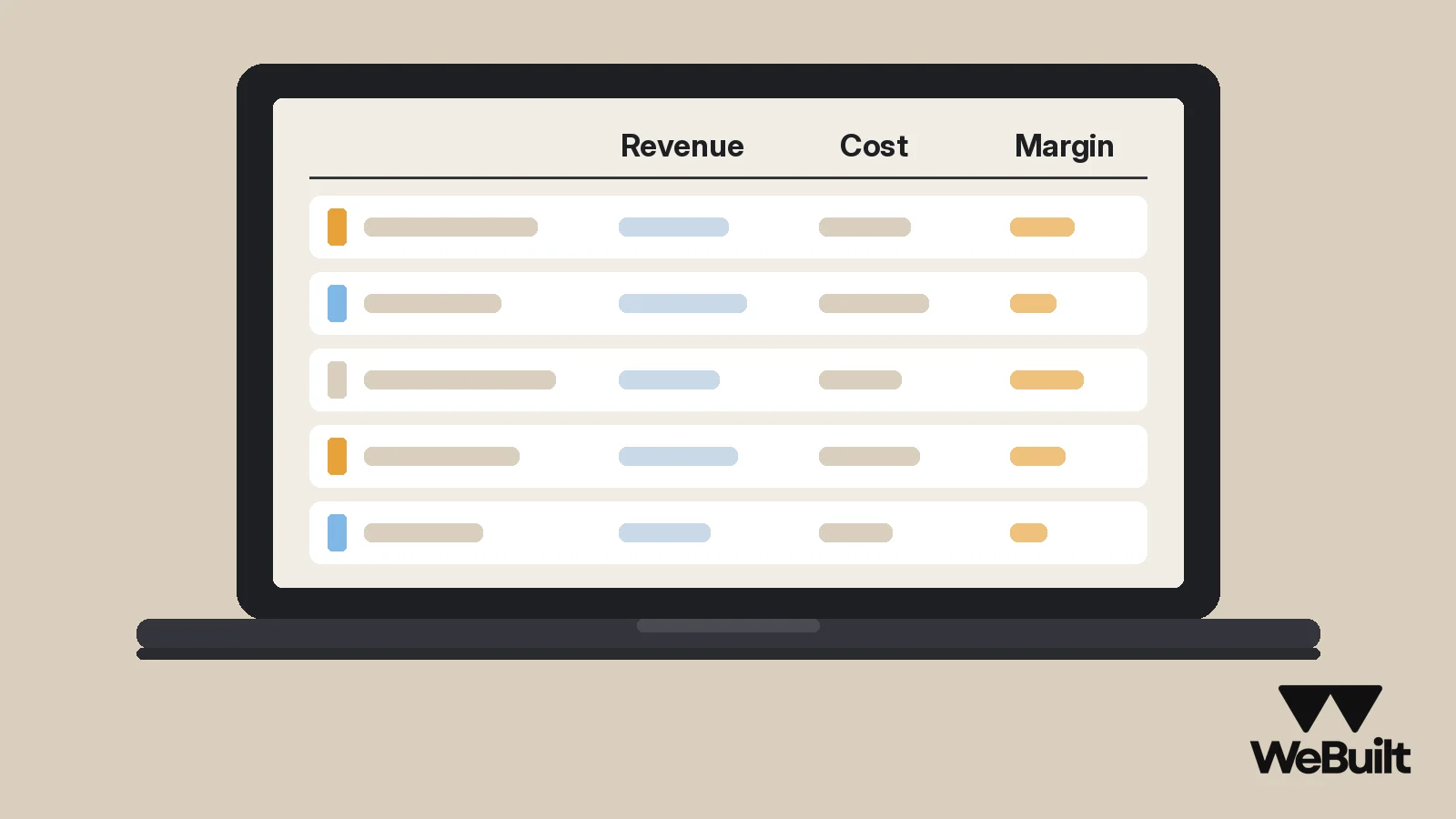
Marco's jobs were set up in WeBuilt all season. Each customer has a record, each estimate was built with that customer and job in place, and each job is kept with the customer it belongs to [1]. As the crew worked, the costs were recorded against the job: materials, crew labor, and subs.
So for every finished job, WeBuilt shows revenue, cost, and margin [1]. Marco doesn't have to rebuild anything. He opens each finished job, reads its three numbers, and writes them on a sheet next to the job type. (WeBuilt doesn't group jobs by type today, so he sorts them by hand, which takes about an hour for a season of work.)
Step 2: Line up the totals by job type
Example numbers for illustration:
| Job type | Jobs | Revenue | Cost | Gross profit | Margin |
|---|---|---|---|---|---|
| Bathrooms | 6 | $168,000 | $126,000 | $42,000 | 25.0% |
| Decks | 5 | $95,000 | $78,000 | $17,000 | 17.9% |
| Repairs | 22 | $41,800 | $27,600 | $14,200 | 34.0% |
| Total | 33 | $304,800 | $231,600 | $73,200 | 24.0% |
The first surprise: decks have the lowest margin of the three. The second: repairs have the highest margin, but they're small, so they don't add up to much gross profit.
Step 3: Add the crew's time
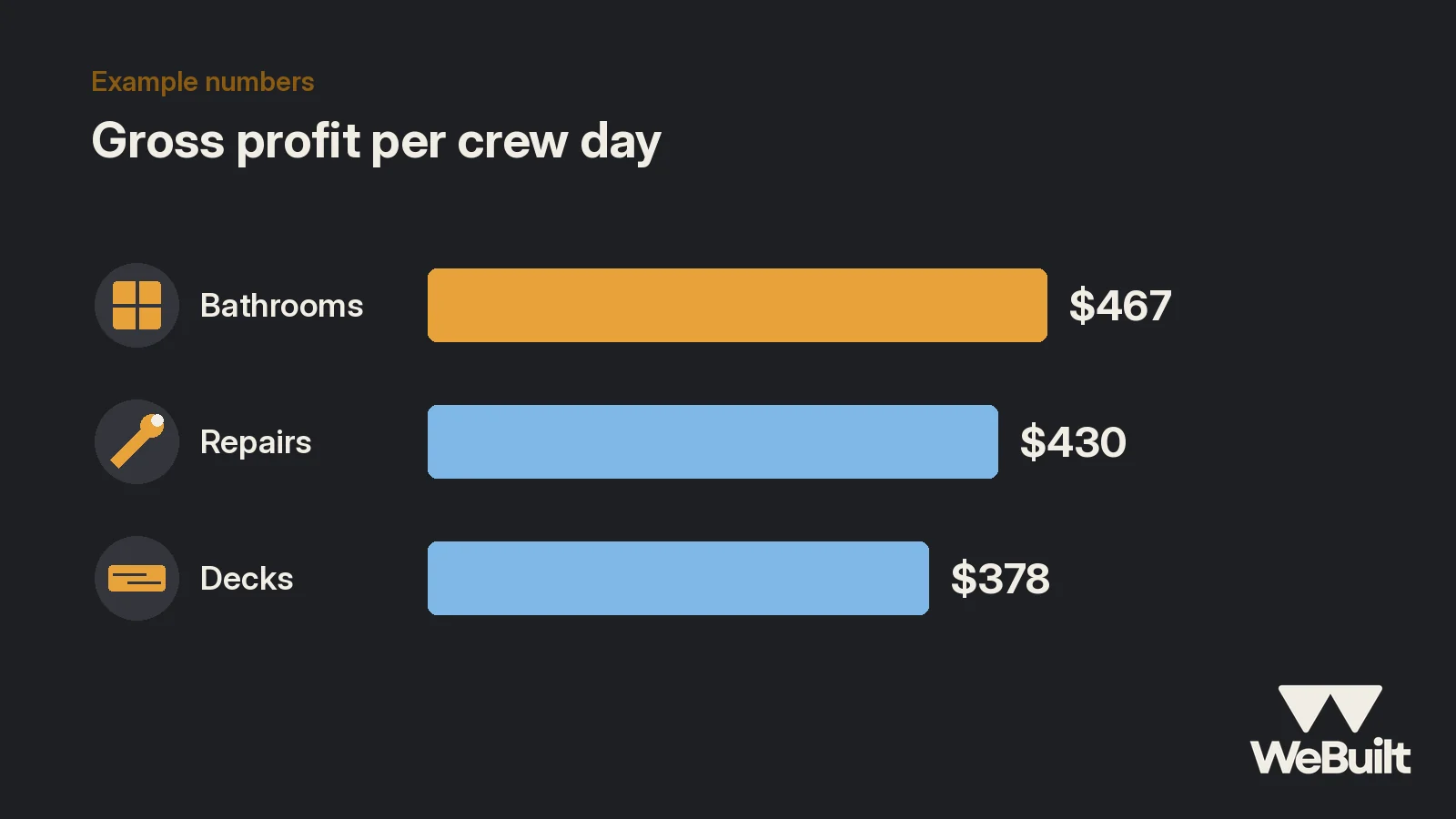
Margin alone doesn't tell the whole story. A job with a fat margin that ties up the crew for weeks can earn less than it looks. So Marco adds one more number from his own calendar: crew days on each kind of job. (This comes from his calendar, not from WeBuilt.)
Example numbers for illustration:
| Job type | Crew days | Gross profit | Gross profit per crew day |
|---|---|---|---|
| Bathrooms | 90 | $42,000 | $467 |
| Decks | 45 | $17,000 | $378 |
| Repairs | 33 | $14,200 | $430 |
Now the picture is clear. Bathrooms earn the most per day the crew works. Repairs are close behind. Decks, his favorite, earn the least.
Step 4: Find out why decks slip
A low number by itself doesn't tell you what to fix. So Marco opens the five deck jobs one at a time and compares what he estimated to what he recorded.
The pattern shows up fast. On four of the five decks, labor ran over, and the notes on those jobs say the same thing: railings took longer than planned. One note from his lead on a July deck reads, "Railing posts and balusters took two extra days." Because notes and activity history stay with each job [1], Marco doesn't have to rely on memory. The reasons are written down where the numbers are.
Materials held close to estimate on all five. The problem isn't lumber prices. It's how he prices railing labor.
Step 5: What Marco changes for spring
Marco makes three decisions:
- Push bathrooms. His spring marketing goes to bathrooms first: before-and-after photos, and a follow-up with past bathroom customers about other rooms.
- Re-price decks, don't drop them. He adds a separate railing labor line to every deck estimate, priced from what the last four decks actually took. If homeowners balk, he'll know the deck price was too low all along.
- Keep repairs as fill-in work. They earn well per crew day, but they're also the jobs where his own time on the phone and on estimates isn't counted in job cost. He sets a minimum charge and uses repairs to fill gaps between bigger jobs.
None of this was a decision WeBuilt made for him. WeBuilt kept the numbers straight. Marco did the thinking.
Step 6: Check it again next season
The real value isn't one end-of-season review. It's doing it every season with the same buckets. Next November, Marco will run the same comparison and see whether the railing line fixed his deck margin. If you want the habit that makes this possible, it's the one in our over-budget use case: record costs against the job as they happen, every week.
How WeBuilt helps
This kind of review only works if every job has its own numbers. WeBuilt keeps your customers, estimates, and jobs together, and shows revenue, cost, and margin for each job as you record costs against it [1]. At the end of a season, you have profit per job for everything you finished, plus the notes and activity history that explain why a job went the way it did [1]. You decide what to sort, compare, and change. WeBuilt doesn't replace your accounting software; it tracks the job costs you record [1]. See exactly what's included today.
FAQ
Is this a real WeBuilt customer?
No. This is an example scenario with made-up names and numbers to show how the job costing features work.
Does WeBuilt sort jobs by type for me?
Not today. Grouping jobs by type is done by hand. WeBuilt shows revenue, cost, and margin for each job [1], and Marco groups them himself. Check the platform page for what's available today [1].
What should I compare besides margin?
Gross profit per crew day is a useful second number, because it shows what the crew's time actually earns on each kind of work.
See your own job types side by side
Book a 15-minute walkthrough with Ian and bring a few finished jobs of different kinds. We will show you how to compare them.
Sources
- WeBuilt, Platform overview: what WeBuilt does today. Accessed November 2, 2026.